
Integration at a glance
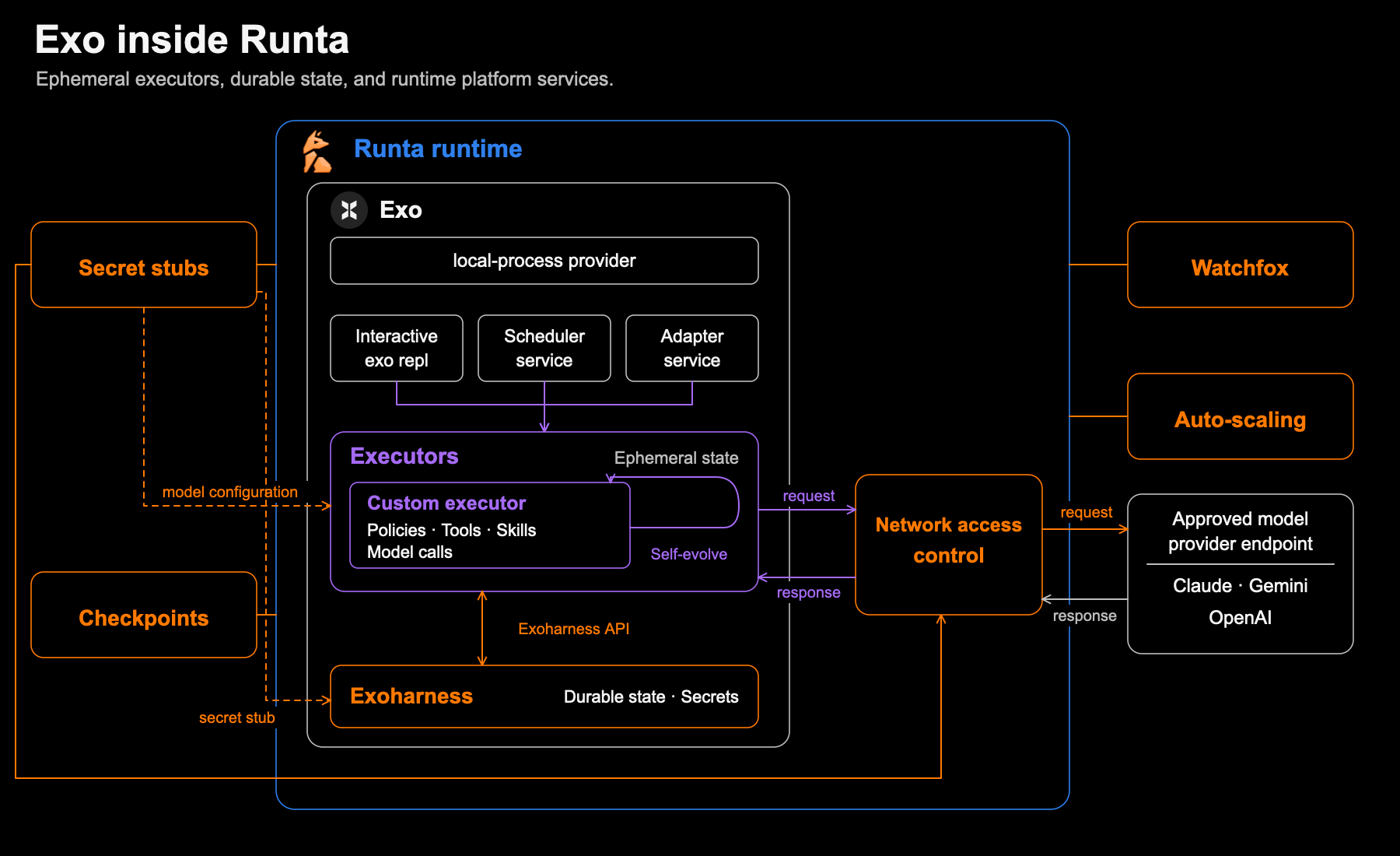
Exo inside Runta: ephemeral executors, durable state, and runtime platform services. Select the diagram to view it at full size.
Exo Harness is available as a built-in runtime in Runta, with model access, interactive work, and background services ready in one managed environment.
Inside the runtime, Exo’s interactive REPL, scheduler service, and adapter service feed the executor layer. Executors hold the agent’s policies, tools, skills, and model calls, and can evolve while keeping their state ephemeral. The Exoharness API connects them to the durable state and secrets managed by the Harness.
Runta surrounds this agent architecture with runtime services: checkpoints, Watchfox, auto-scaling, secret stubs, and network access control. Model requests pass through that network boundary to an approved provider endpoint, connecting Exo’s agent logic to Runta’s managed infrastructure.
Model access with protected credentials
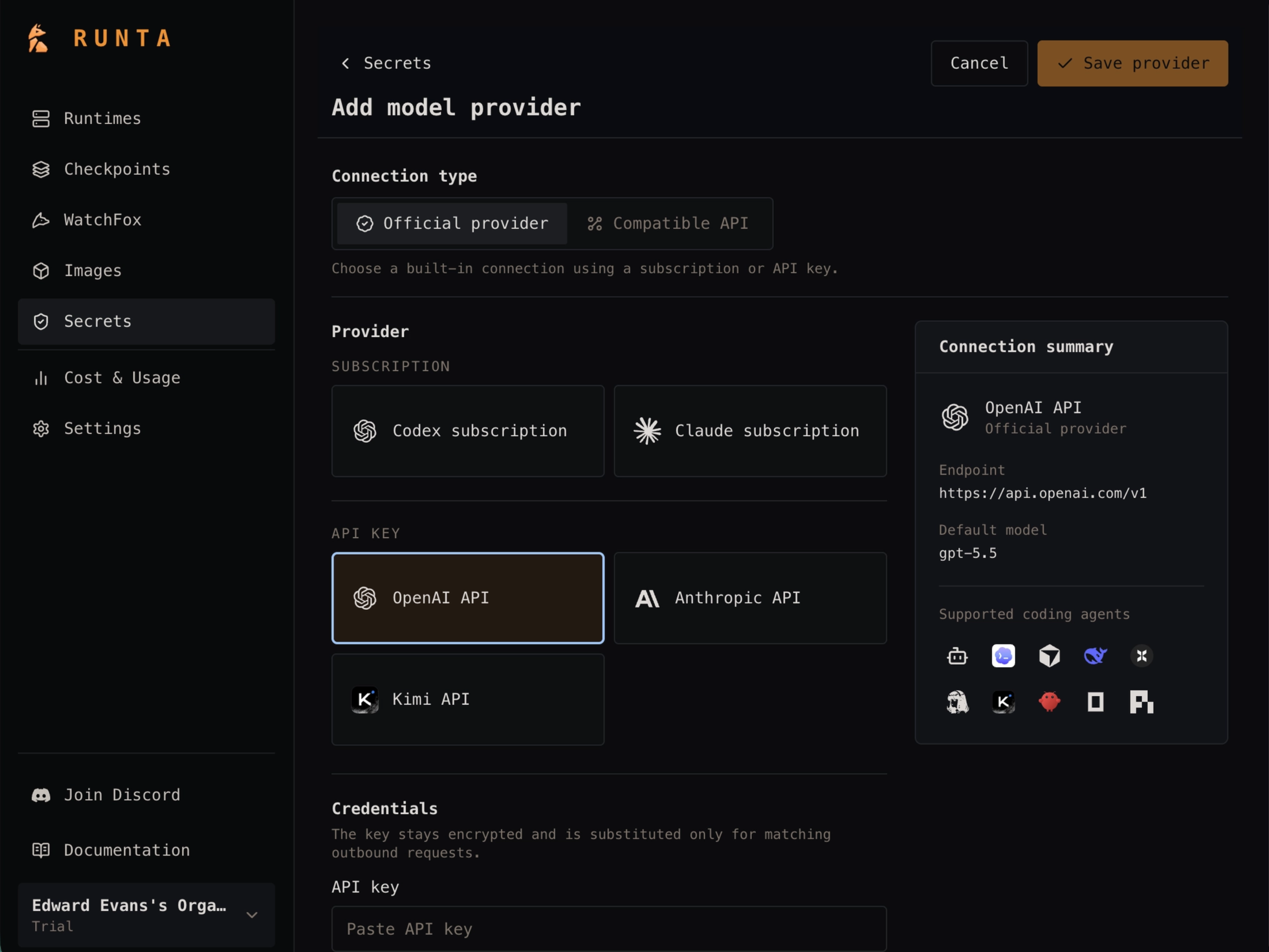
API keys are protected by Runta. Exo stores a placeholder called a secret stub, while Runta’s egress gateway supplies the real credential only when forwarding requests to the approved model provider. This keeps the actual API key out of Exo’s saved configuration while giving the agent access to the selected model.
A workspace you can return to
Exo uses local-process mode to run commands directly inside the Runta runtime, with access to its files, tools, and network. Runta provides a resumable environment, so you can pause and return to your workspace without rebuilding it from scratch. Exo handles the agent’s work while Runta manages the environment’s lifecycle.
What is Exo Harness?
Exo Harness is a minimal architecture for building agents. It separates trusted infrastructure for state, resources, and security from agent-specific logic that can evolve, stop, resume, and rewind across runs.
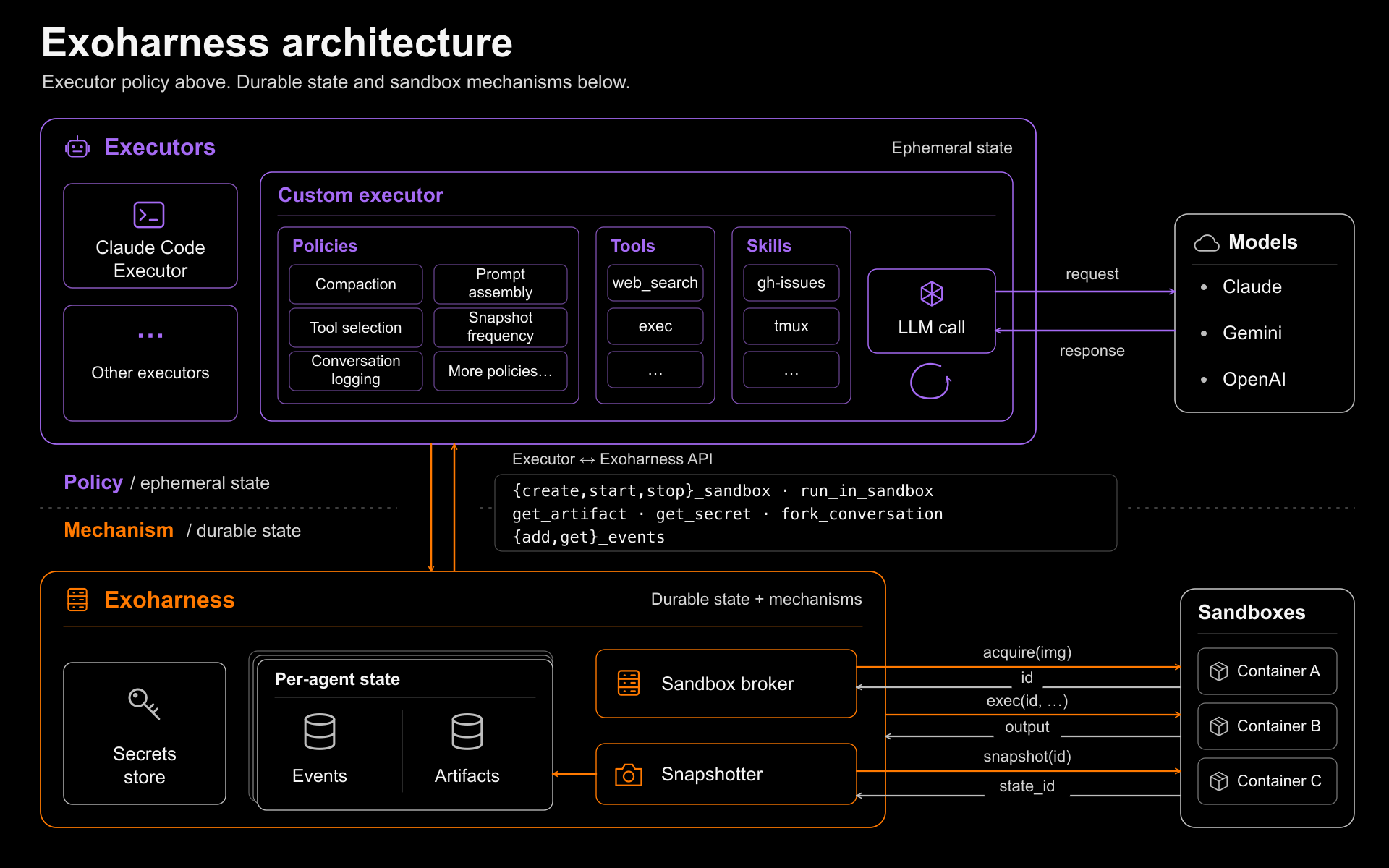
Exo has three layers:
- The Harness protects durable state, including append-only conversation history, artifacts, secrets, and sandbox lifecycle, and cannot be altered by the agent.
- The Executor controls prompts, model calls, tools, and memory. It can be replaced or modified by the agent because it holds no durable state.
- The Sandbox provides an isolated environment for running commands and experiments, with checkpoints that let environment state be restored alongside conversation state.
This separation gives the system the potential to self-evolve: the agent can iteratively rewrite and improve its own execution logic while the Harness preserves a stable, recoverable foundation.
How to use Exo Harness on Runta
1. Create your Runta account
Create an account at Runta to get started.
2. Add your model API key to Runta Secrets
Add the API key for your model provider in the Runta dashboard’s Secrets section.
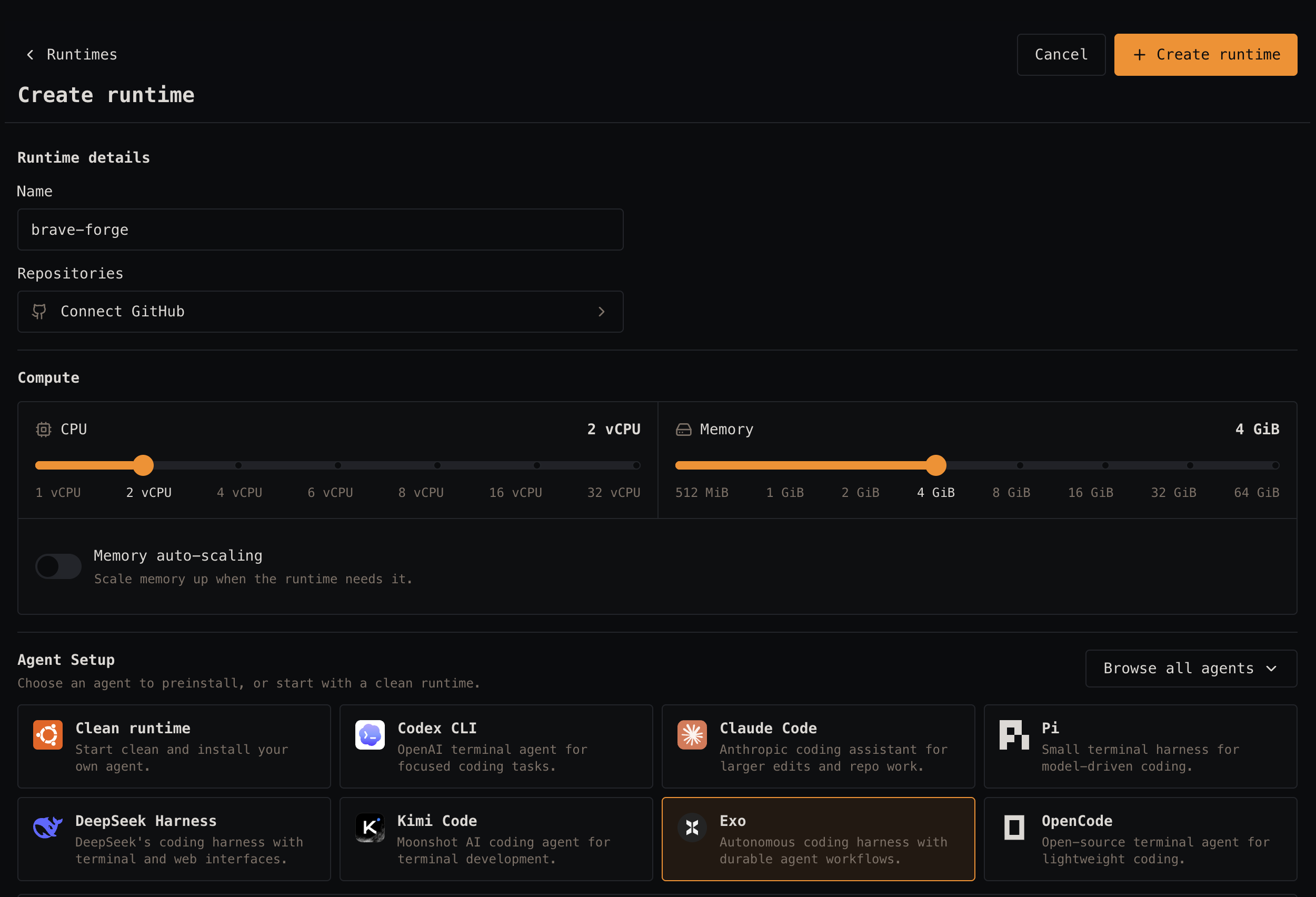
3. Create an Exo runtime
Use your free $50 credit to create a runtime with Exo Harness. Select your model and the secret you added in the previous step.
4. Open the web terminal
Use the dashboard’s web terminal to interact with the Exo agent. Runta configures the selected model and prepares the agent so you can start working directly from the terminal.
The Exo source code is located in the
/opt/exofolder.
Create an Exo runtime with the Runta skill
Install the Runta CLI skill for your coding agent:
npx skills add https://runta.com/docs